Inter-Process Communication with Events
This example process shows how a parent process can coordinate the work in several follow-up processes using events. The main process starts the follow-up processes and then waits for the work in them to be completed. The follow-up processes signal their completion with the Send event action.
The goal of this example is to show how several processes interact with each other through events. The forms included in the process are only meant to illustrate how the respective work steps are carried out. The key point is how the main process, from a certain point on, waits for the work in the sub-processes to be completed before it continues.
Process Overview
The parent process Event Mainprocess generates a process number at the beginning and then starts two follow-up processes: the invoice processes and the IT process. After doing some of its own work, the main process waits for both follow-up processes to be completed and then performs a final review.
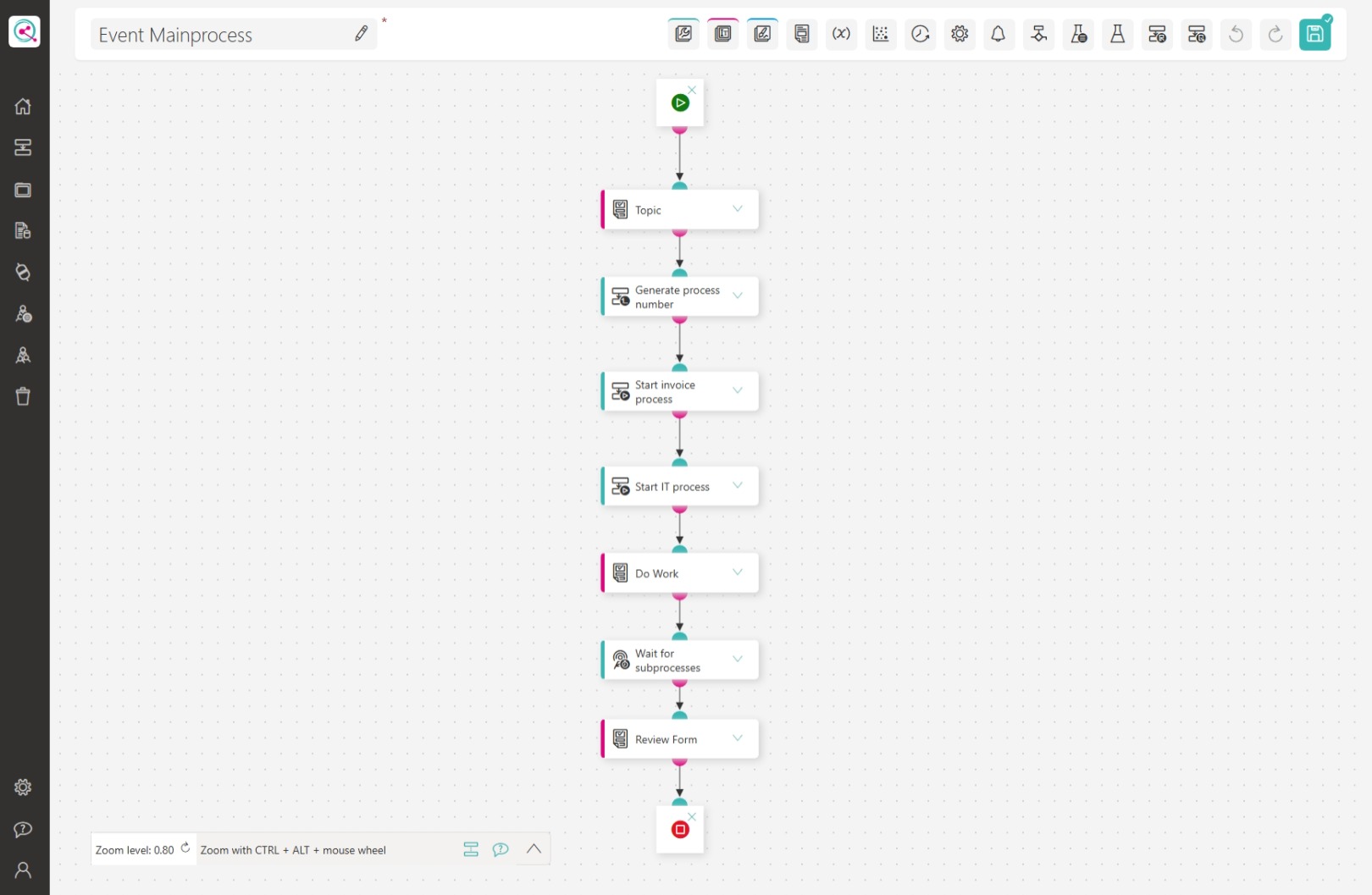
(Click the screenshot for a larger version)
The follow-up process Event Subprocess IT carries out the IT work and signals its completion to the main process with an event.
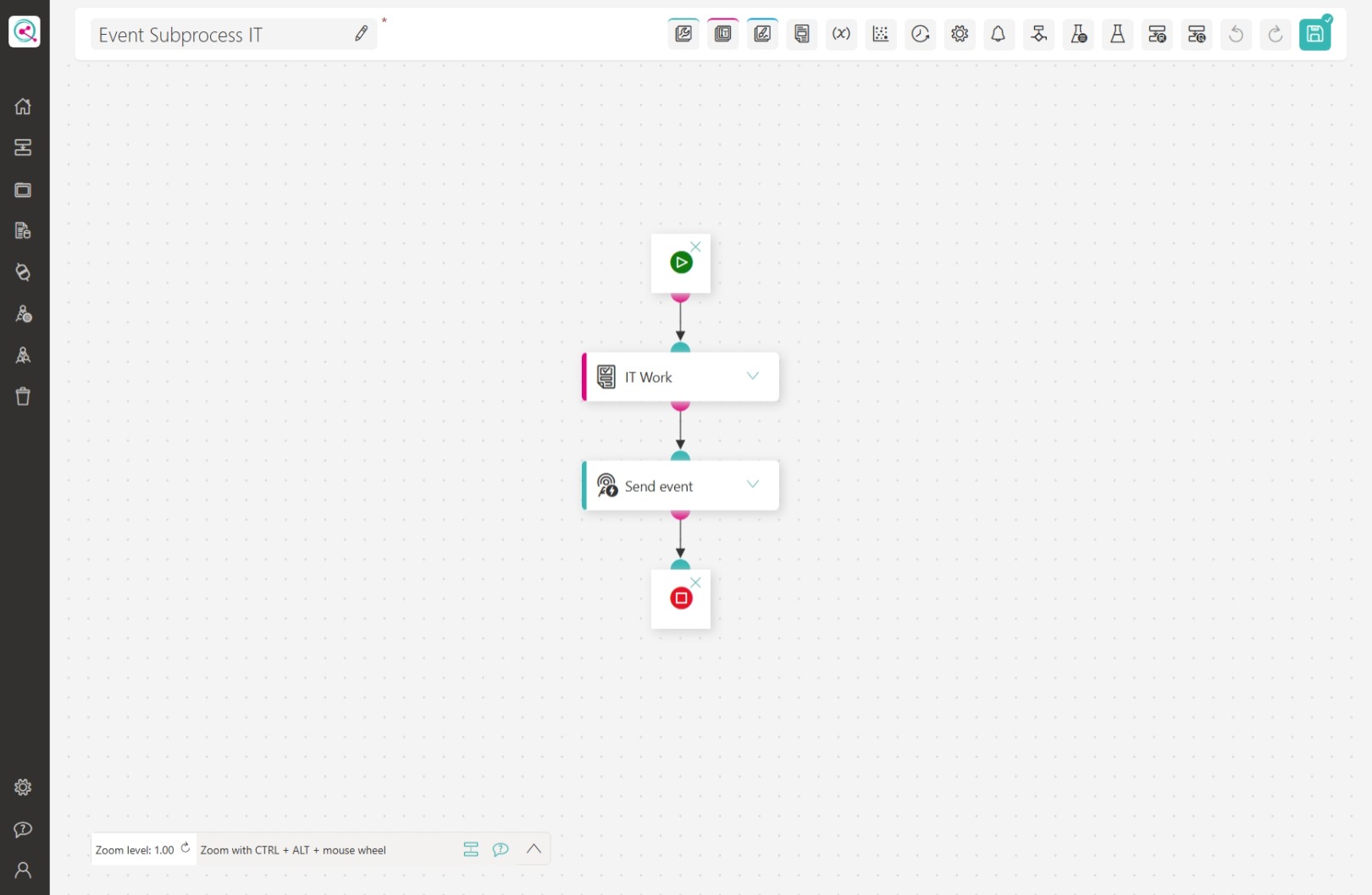
(Click the screenshot for a larger version)
The Process Number as a Unique Key
The main process begins with the Generate process number action. The generated process number is unique for every process execution and serves as the key for the events. It is passed to the follow-up processes as a process variable and is used to build the names of the events. This means that every event is assigned to exactly one combination of main process execution and sub-process.
If the main process is started multiple times, each process execution then only waits for the events of its own sub-processes. A sub-process will not continue a process execution it is not assigned to.
Starting the Follow-up Processes
The main process starts the follow-up processes with the Start subsequent process action. In this example, the invoice processes and the IT process are started. The Process initiator is selected as the process operator in each case.
For the IT process, the generated process number is passed on using the Pass variables option: the variable MainProcessNumber of the follow-up process receives the value of the main process Process number placeholder.
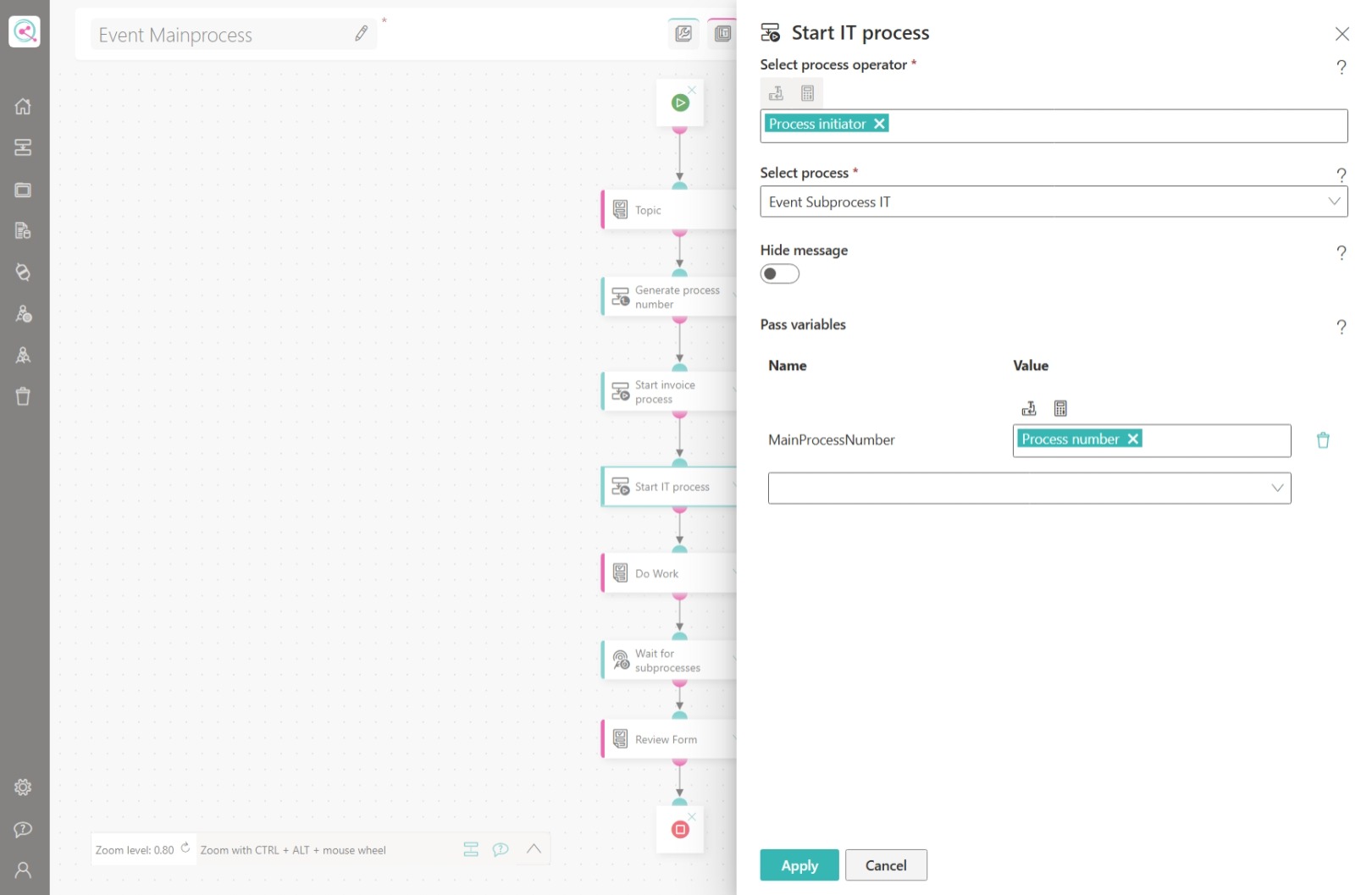
(Click the screenshot for a larger version)
Waiting for Events
After the follow-up processes have been started, the main process continues with its own work. With the Wait for an event action, it then pauses until the follow-up processes have sent their completion events. The following values are configured in this example:
- Events:
{Process number}_Invoiceand{Process number}_IT. The Process number placeholder is replaced by the number generated in the main process. - Waiting for events: Wait for all events. The main process is only continued after both events have been received.
- Events to be taken into account: All events (including past ones). If an event was already sent before the wait began, the process is continued immediately.
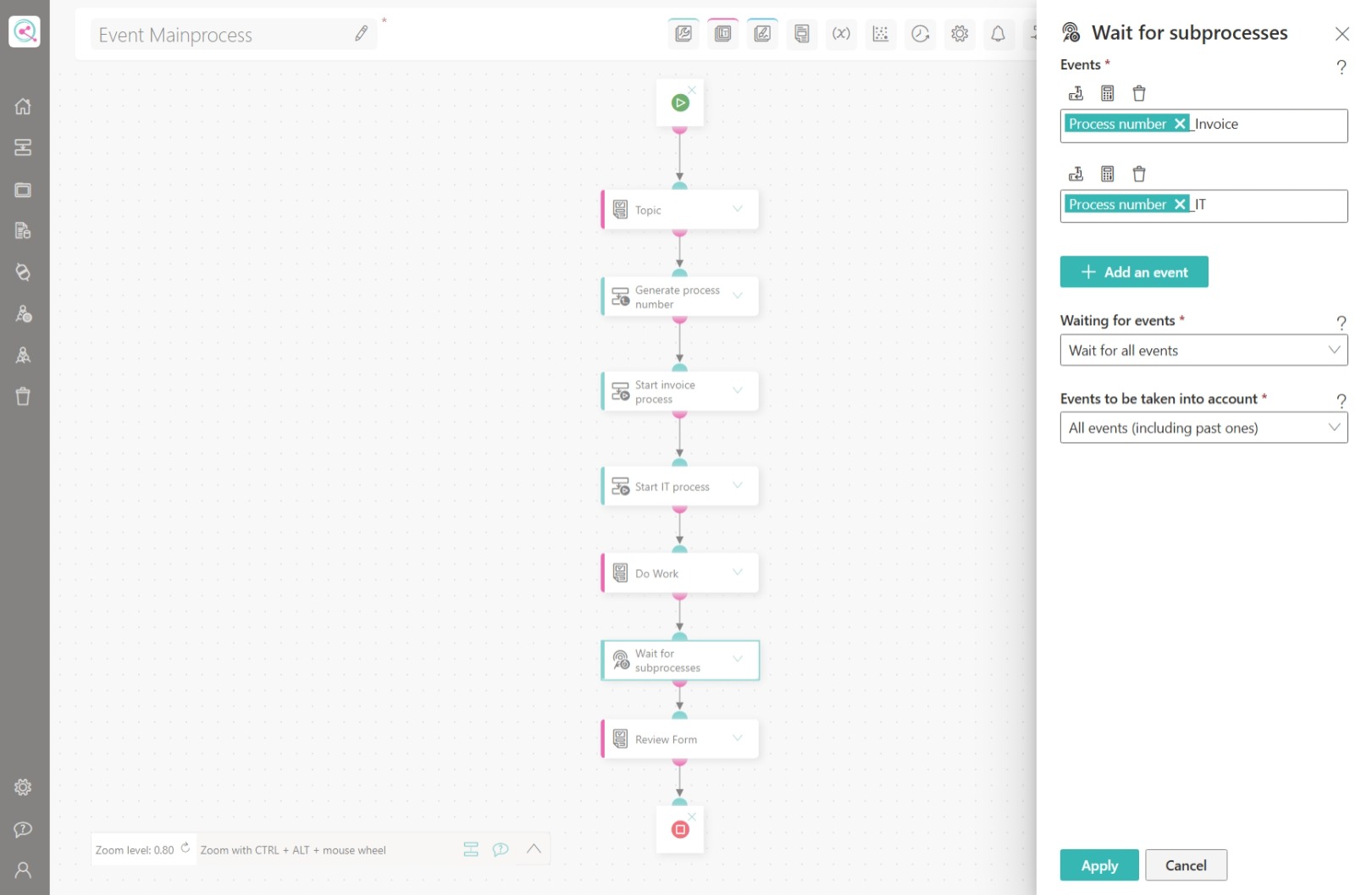
(Click the screenshot for a larger version)
Sending the Event in the Sub-Process
The follow-up process Event Subprocess IT carries out its tasks in the IT Work form. When it is finished, it sends an event to the main process with the Send event action:
- Event:
{MainProcessNumber}_IT. The name is built from the MainProcessNumber variable passed by the main process and the suffix IT.
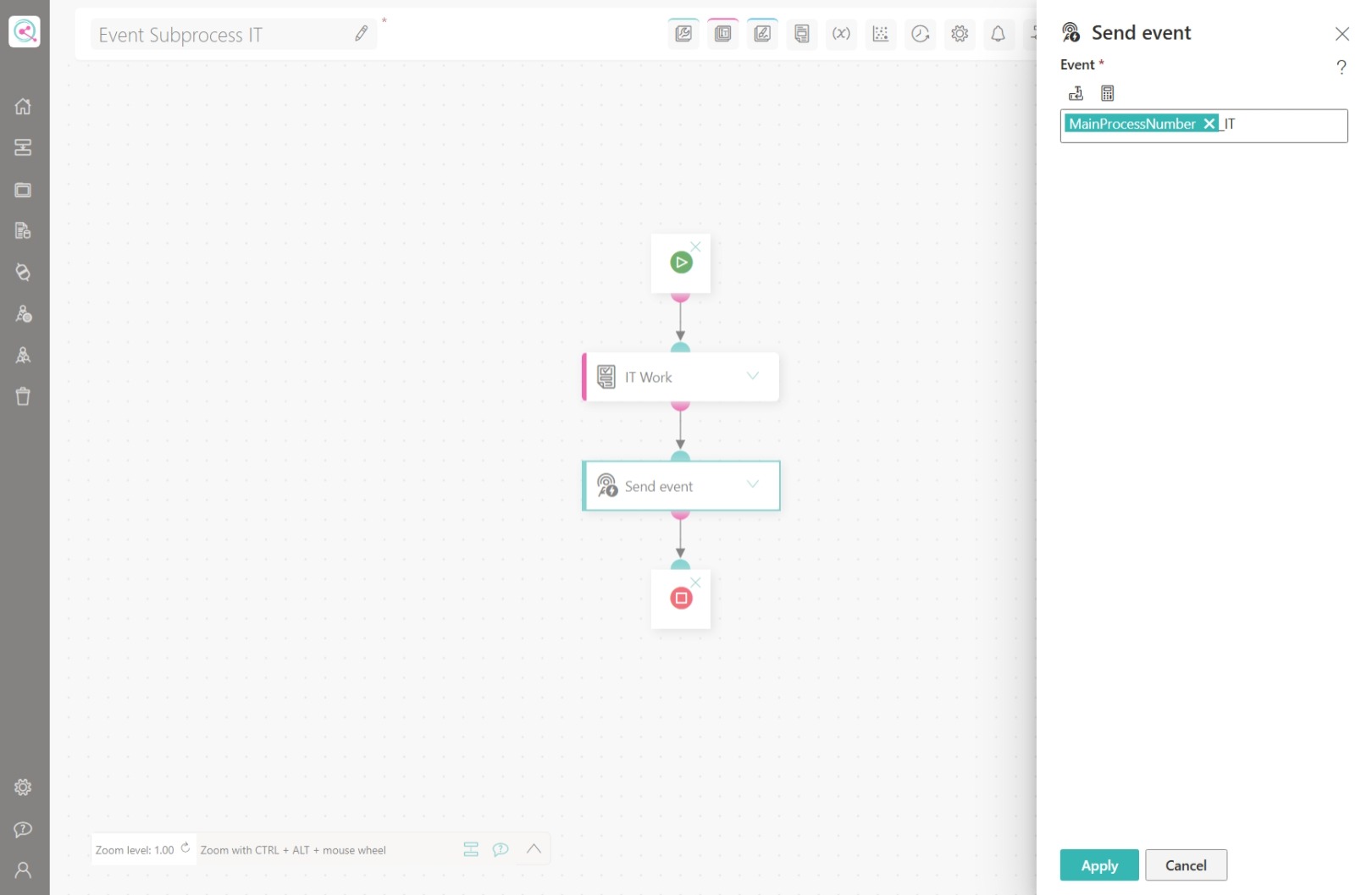
(Click the screenshot for a larger version)
As soon as the main process has received the event {Process number}_IT (in addition to {Process number}_Invoice), it continues.
Conclusion & Next steps
With the pattern of Generate process number, Start subsequent process and Send event / Wait for an event, several processes can be nested and coordinated. The forms from this example can be replaced at will; what matters is the exchange of information through events.
This pattern is not limited to subsequent processes. Technical events can be coordinated in the same way: a process can, for example, wait for a specific value and monitor incoming emails with the Exchange incoming email action. As soon as a matching email is available, an event is sent that, for example, contains a number parsed from the email. A process waiting for this event is then continued.