The Classic Onboarding Process
The onboarding of new employees includes the structured introduction and integration of personnel into the company. The goal of the process is to make the administrative onboarding efficient and to establish the professional capability to work as quickly as possible. This example shows how the "Onboarding" process could be implemented in linqi. We model the period between the contract signing and the official first working day of the new employee with a focus on the HR department.
Process Overview
Linqi offers several ways to visually modify a process using graphic tools to improve readability. This process is structured into three Swimlanes. This makes it immediately apparent which action belongs to which department.
This has no technical impact.
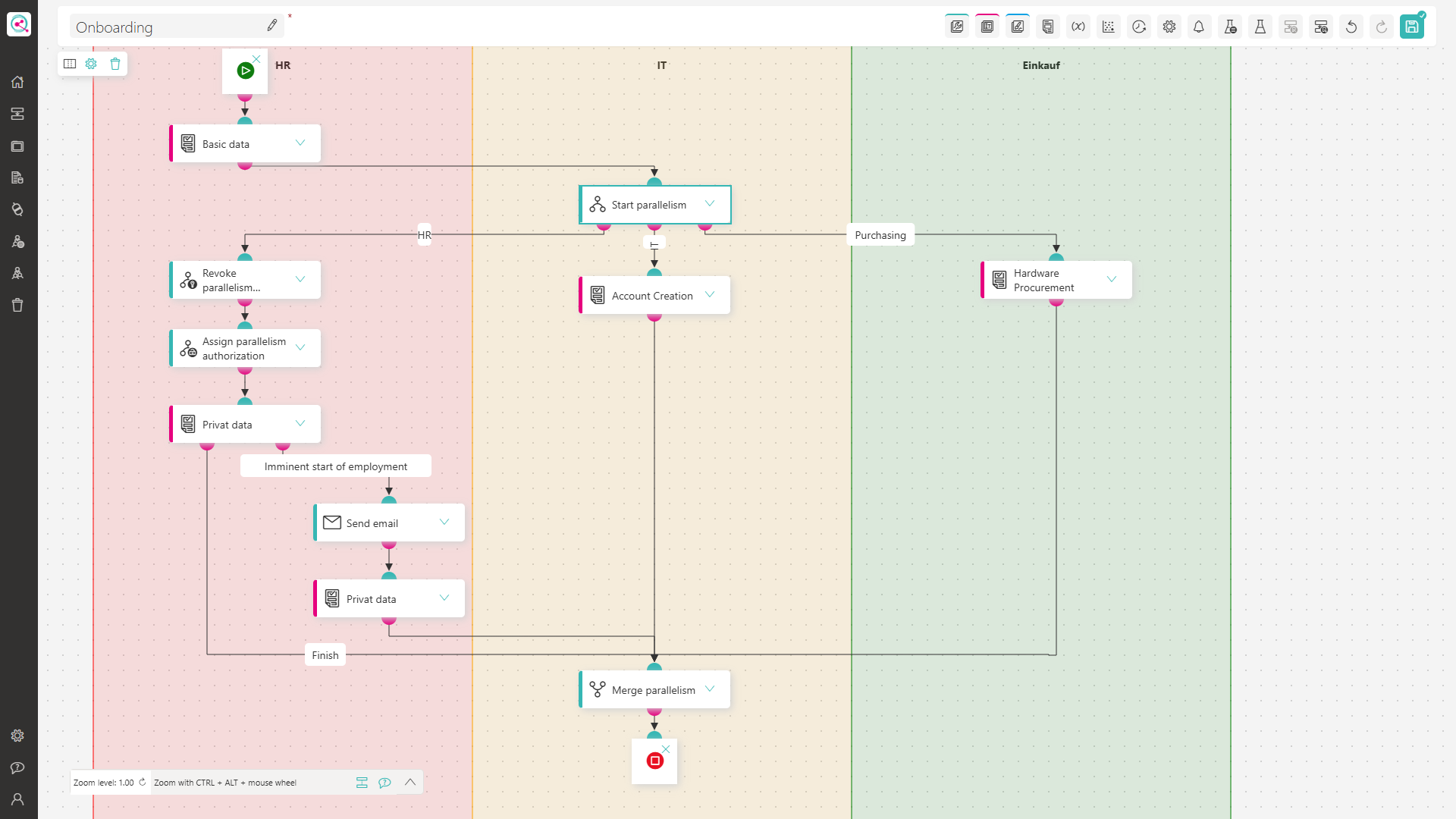
In this example process, there are three departments involved. The HR department must handle master data maintenance such as salary, wage group, last name, first name, bank details, etc. The IT department must ensure that all accounts and permissions are available to enable smooth working. The Purchasing department must ensure that work equipment such as a mouse, computer, or keyboard are ordered and delivered on time. To simplify the process, only the HR side was modeled.
Process Flow
The process is started by the HR department.
First, the "Basic data" form requests the data that the various departments need to initiate corresponding measures. For all departments the first and last name, as well as the role in the company, are crucial.
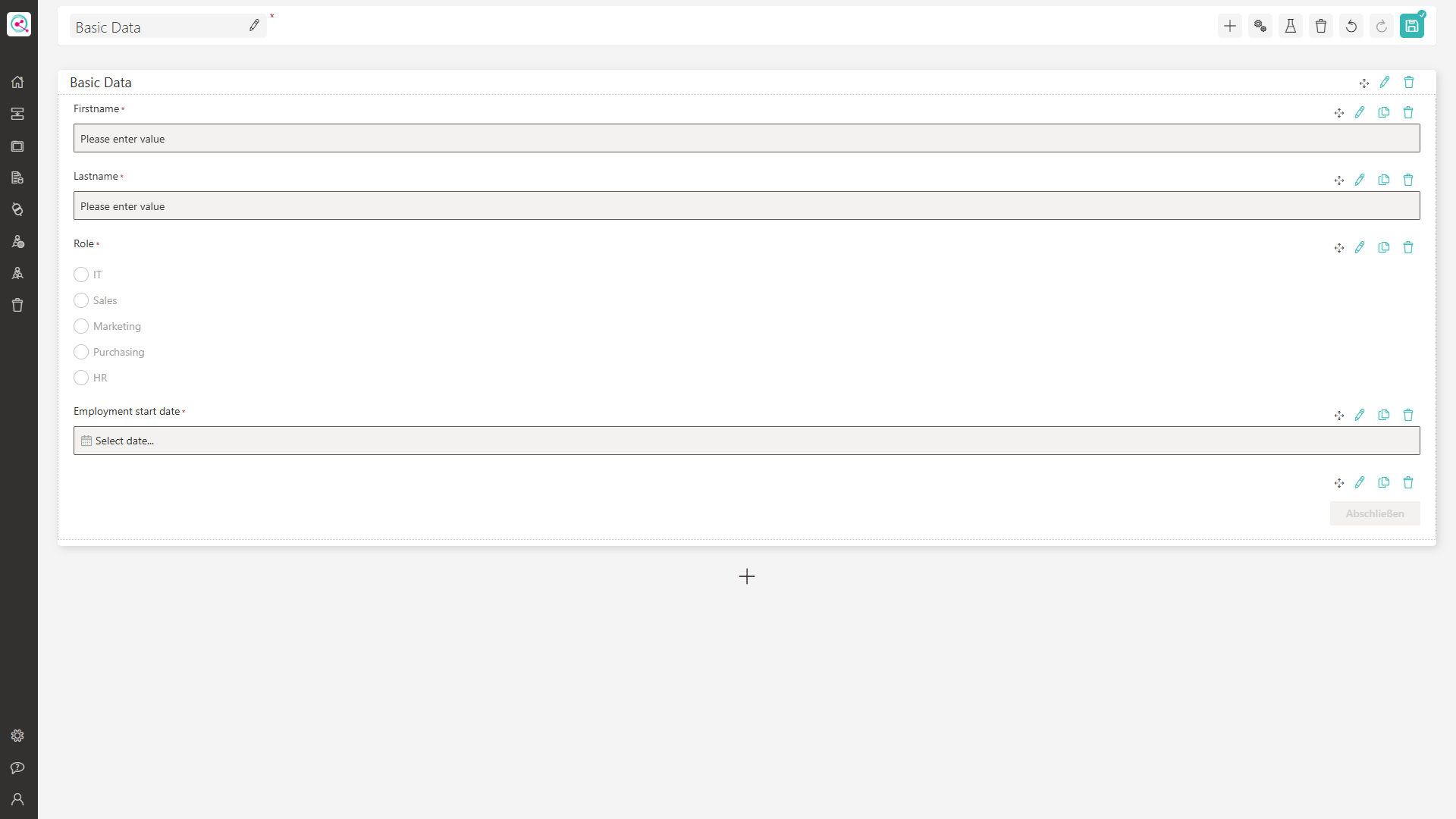 You can see how to create and configure a form here.
As soon as the HR department has maintained this data, the process branches into three paths for the respective departments using the "Start parallelism" action. This has the advantage that, for example, the IT department does not have to wait for the creation of private data by the HR department, but all departments can complete their tasks simultaneously.
Permissions
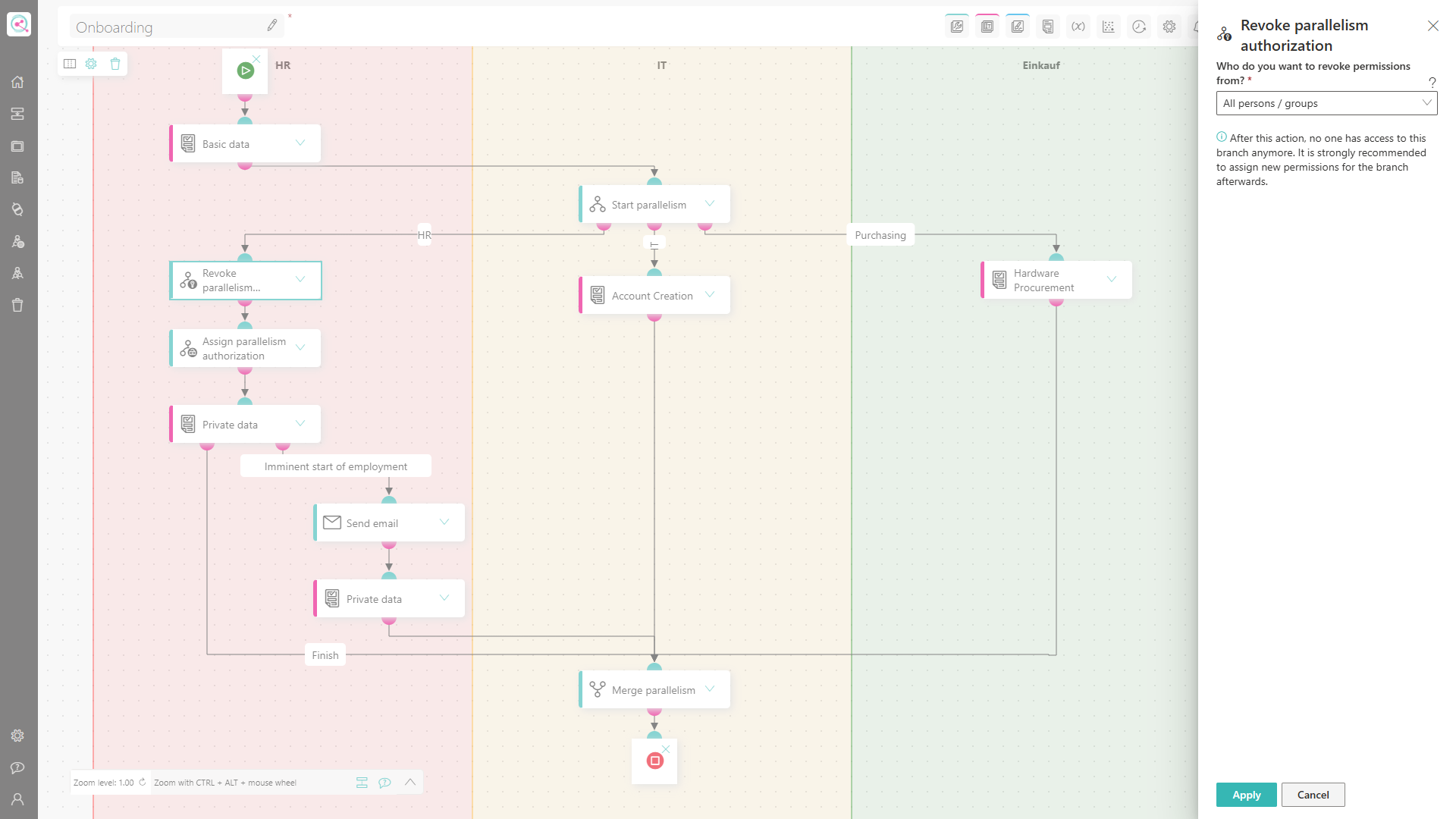
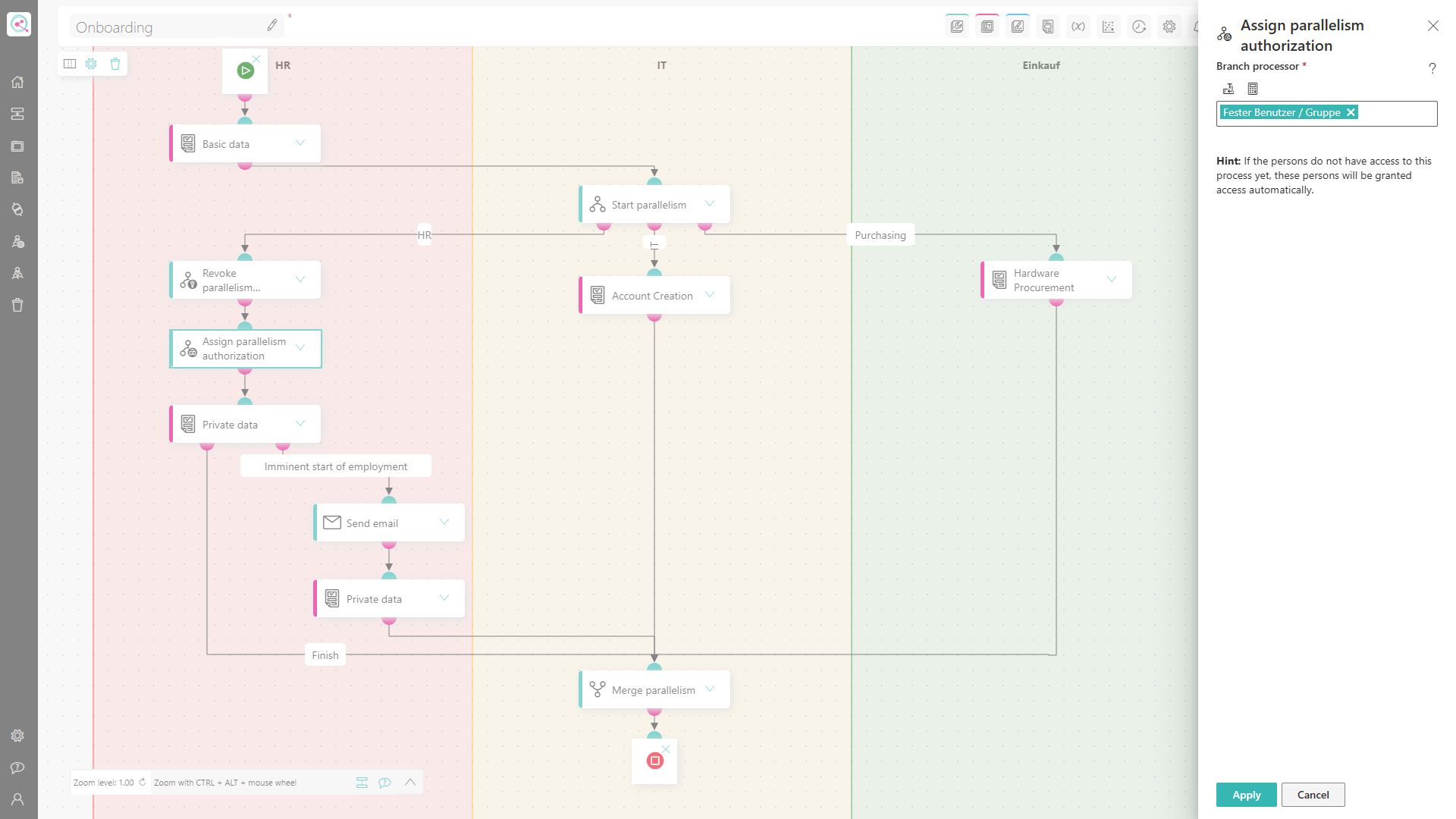
Important for data protection is also the possibility to deny certain actors insight into private data of the employee. In this process, it should be prevented that the IT department and the Purchasing department can see what the HR department maintains in the "Private data" form. For this purpose, the "Revoke parallelism authorization" action is used in combination with the "Assign parallelism authorization" action. First, all permissions are removed and then explicitly assigned only to the HR department. With this approach, employees from IT or Procurement no longer have access to the HR parallel branch. However, they can still work on the "IT" and "Procurement" branches. Both actions therefore only affect their own parallel branch.
| Revoke parallelism authorization | Assign parallelism authorization |
|---|---|
 |  |
Another practical example of using these actions can be found in the IT parallel branch. The IT department sets up the new user accounts (AD, email, ERP system). During this process, the system generates a temporary initial password, which the new employee must use to log in on their first day. This password poses a critical security risk until it is changed by the employee. Neither HR, the future department, nor Procurement should be able to view this password in the system, preventing any potential misuse (e.g., logging in on behalf of the new colleague).
Escalation Stage
To ensure that all necessary steps are completed by the start of employment of the new employee, an escalation stage is created for the "Private data" form. Escalation stages create another output on forms from which further actions can be connected. The output of the escalation stage is executed when the specified date of the escalation stage is reached. By selecting "Placeholder date" in the "Type of waiting time" dropdown, a placeholder from a form can be used in the "date" field. A good value for the placeholder is the mandatory "Employment start date" field required in the "Basic data" form. To trigger the escalation five days before the start of employment, the value "-5" is entered in the "Added days / months" field.
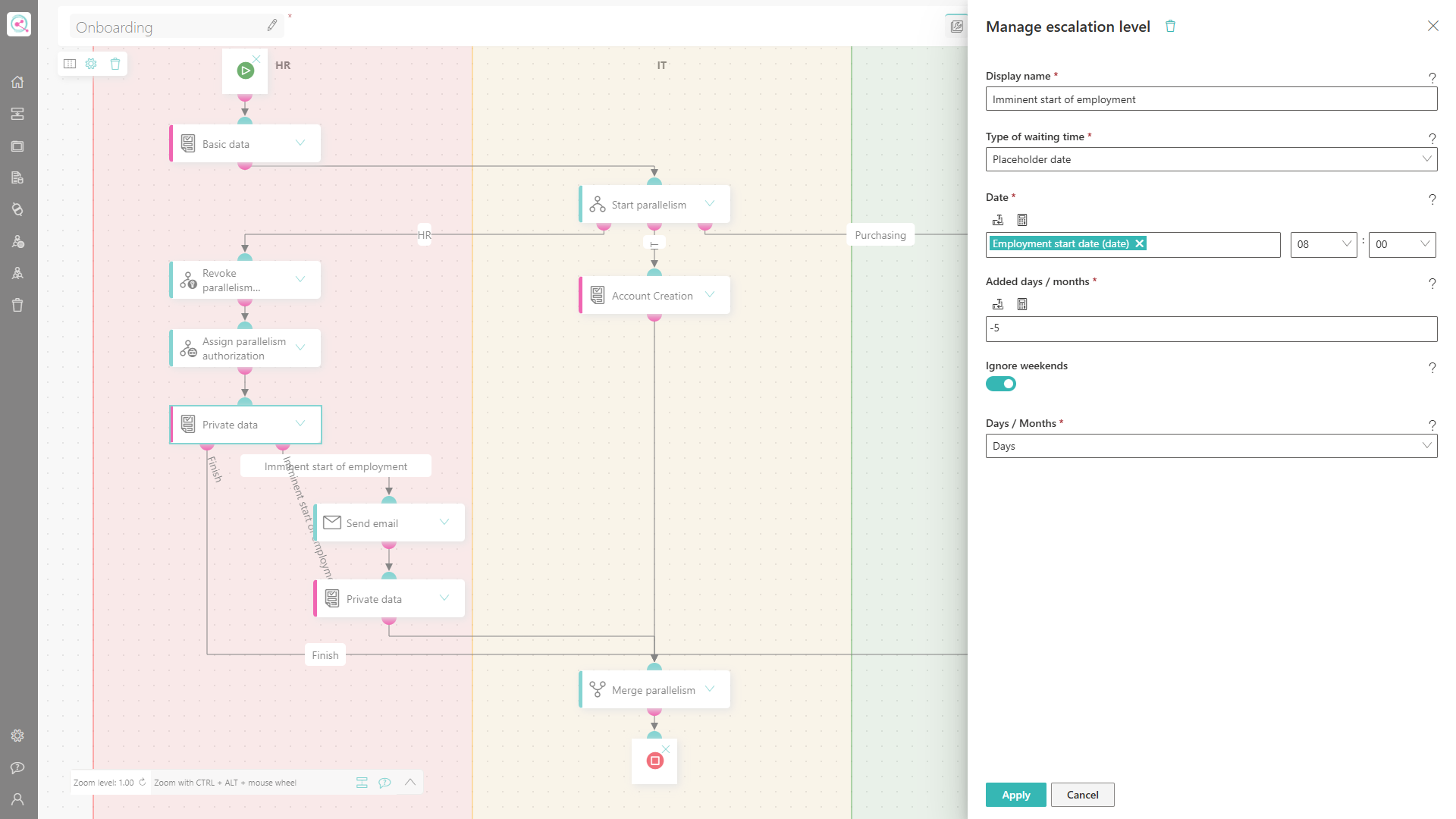 If the HR department has not finished submitting the "Private data" form by five days before the new employee's start of employment, the process automatically jumps to the next step "Send email". In this action, a friendly reminder is sent to the HR department to complete the entry. Since the "Send email" action is linked to the "Private data" form again, the workflow remains in this status from an HR perspective. Previously entered data is not lost but remains persistent.
Conclusion
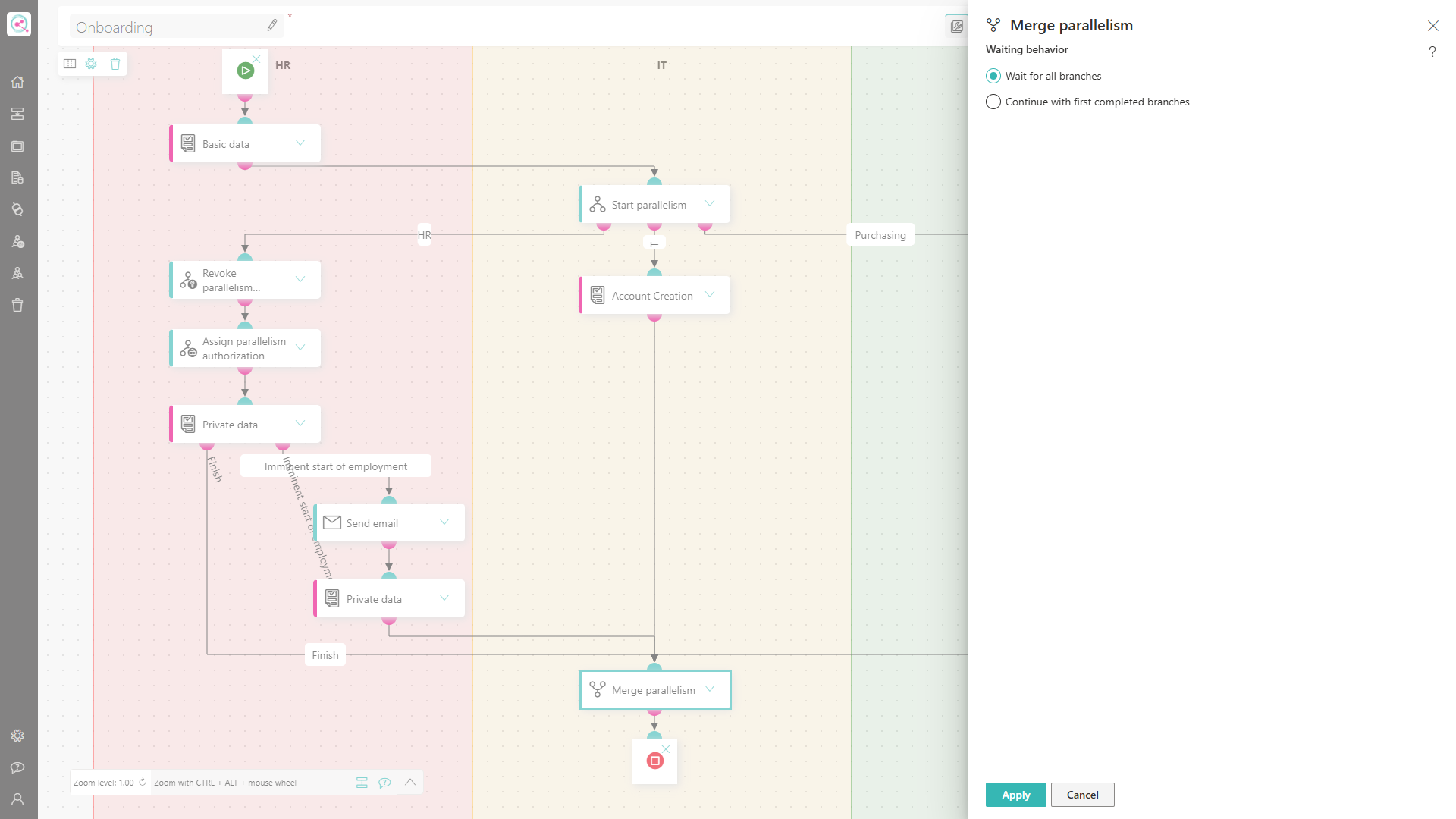
Last but not least, the parallelism must be merged with the "Merge parallelism" action. If required, this action can also be set up to end the process as soon as one of the parallel branches is completed. An example of this would be the "contract return process": The employment contract is sent to the applicant by mail and also in advance digitally. As soon as the first signed document is received in the system, the HR process continues and the personnel file is finalized.
Since all TODOs from HR, IT, and Purchasing must be completed for an employee onboarding, the action is set to "Wait for all branches".
Conclusion & Next steps
This process primarily describes possible tasks of the HR department. For IT and Purchasing, only a form has been sketched out for now, which still requires manual work in these departments. Here, the process offers great potential for further automation: In particular, the actions Add LDAP User or Group and Update LDAP Membership are ideally suited to completely replace the manual tasks of IT. Likewise, a digital purchase requisition process could be triggered automatically for Purchasing. In both cases, the process can be controlled flexibly using the "Condition" action: Based on the role of the new employee, the workflow automatically takes the appropriate path. For example, a smartphone order is only triggered if the role "Sales" is stored – for positions in IT, however, this is not intended.